Tonight,where to?
Find the best restaurants, cafés, venues and events in your city. Check in wherever you go, match with people looking for the same thing, and take the first step to meet.
From discovering to meeting
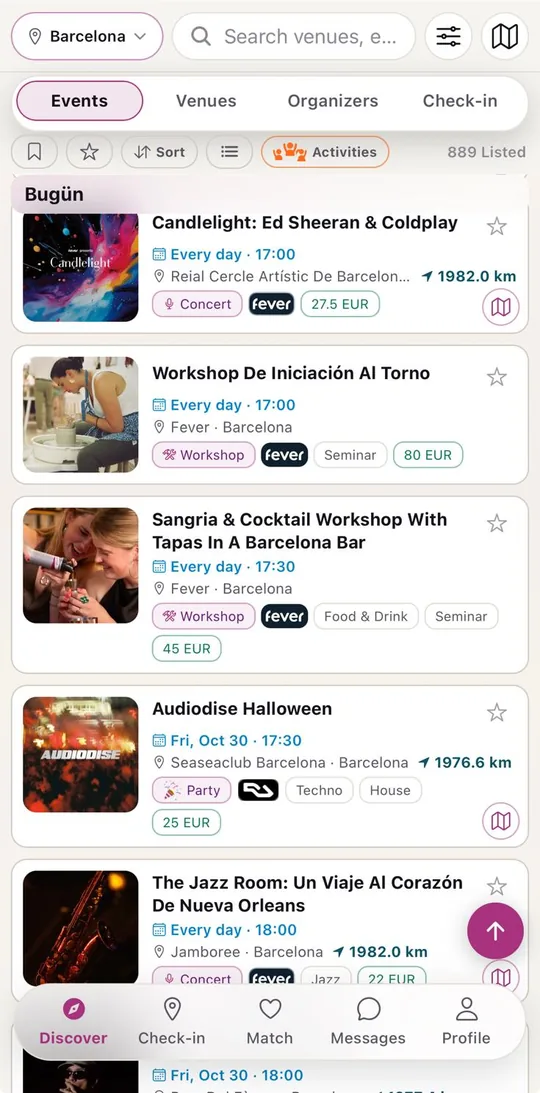
Live events, concerts, parties — in one list.
New people in three steps
Everything from where to go to who to meet, in one app, day or night.
Choose where you are
It finds your location automatically, or you search for the city you are heading to.
Inside the night
Discover where you go
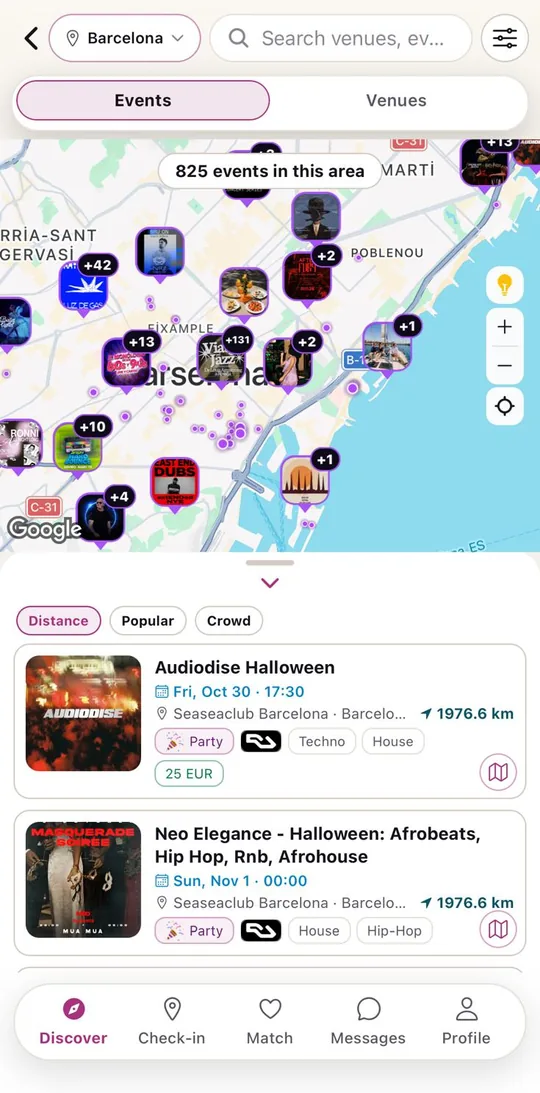
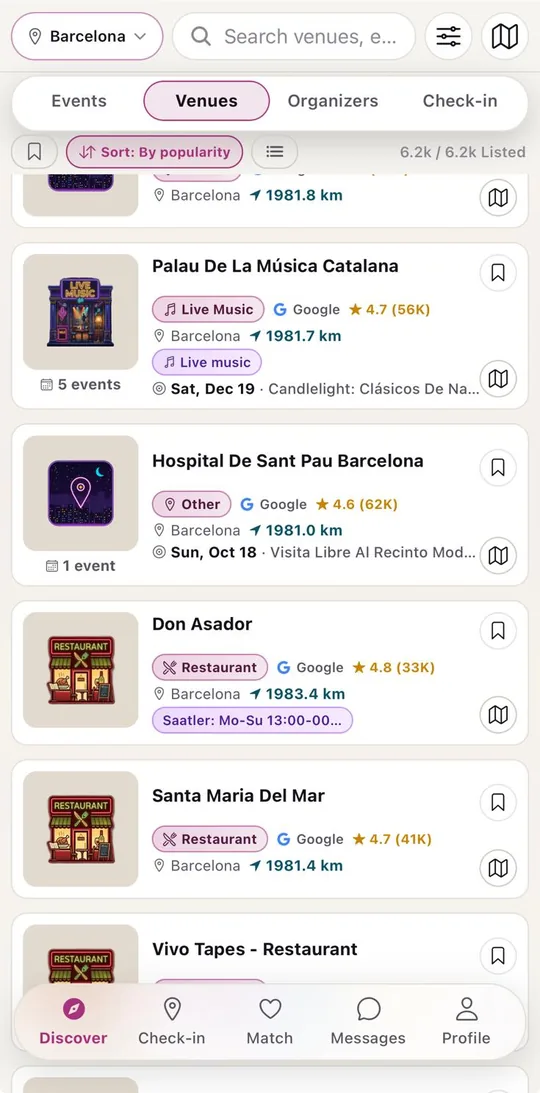
Restaurants, cafés, bars, clubs, concert halls... See the venues around you on the map, check ratings, filter and compare.
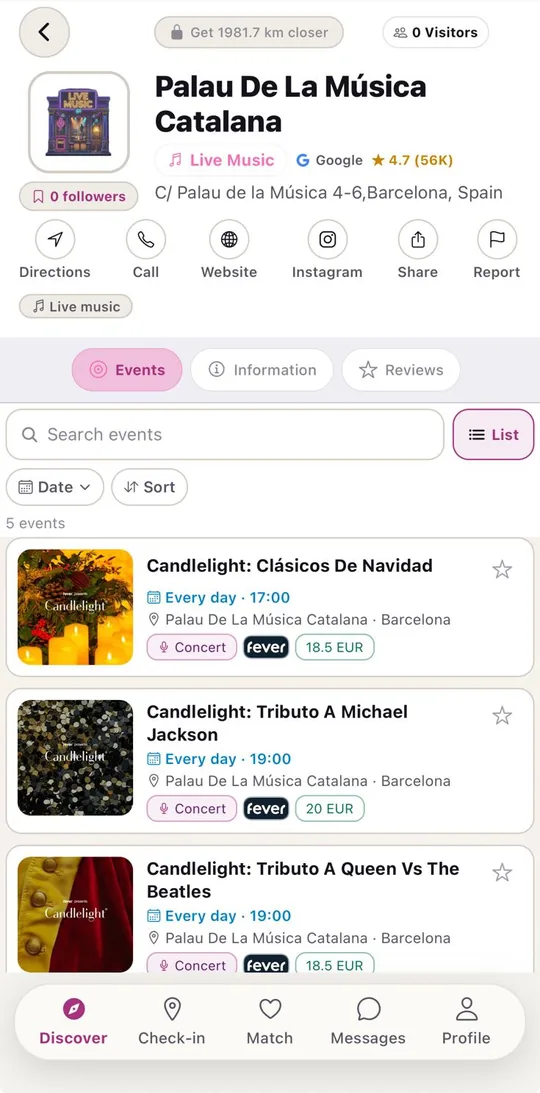
Find events
Concerts, theatre, stand-up, parties, festivals. Filter by date and type, and get tickets with one tap.
Star the best ones
Star the best restaurants and cafés in the city and the events you like; follow the venues you love.
Check in
Check in wherever you go and see who is there right now; stay anonymous or be visible only to the people you pick.
Match, meet
Match with people who are in the same place, looking for the same thing. We help you take the first step to meet.
Reach your guests in the right place
Manage your restaurant, café, venue and events on NightyApp; share your menu, photos and stories, reach more people with featured listings, and track the crowd in real time.
Go to the venue panel- Events and campaigns: publish them
- Menu, stories and photos: share them
- Featured listings and promotions
- Follower and crowd statistics
Frequently asked questions
What is NightyApp, and is it free?
NightyApp is an app that shows restaurants, cafés, bars, clubs, concerts, theatres and events in one place, and lets you meet the people who are at the venue you go to right now.
Downloading, discovering, checking in, matching and messaging are free. For more matches, more messages and selective visibility there is Premium, and credits for gifts.
Can I use it without signing up?
Yes. On the welcome screen, tap "Browse without signing up". Your choice is remembered on your phone, so when you reopen the app you go straight back to browsing.
- Open: Discover (events, venues, organizers), the map, city selection, filters, venue and event pages, reading reviews.
- Locked: the Check-in, Match and Messages tabs, following venues, starring events. On a locked tab, "Sign up / Log in" takes you back to the sign-up screen in one tap.
- No account is created as a guest: we don't have your name, email or photo.
How do I check in?
- Open the page of the venue you are at (the Discover > Check-in sub-tab lists venues within 200 m).
- Tap the "Check-in" button at the top. You need to be within 100 meters of the venue and have location permission.
- In the "How do you want to check in?" window, pick an option.
- You see a "Welcome to …!" message, and the button turns green and says "You're Here".
How does "Visible only to people I pick" work?
- Choose "Visible only to people I pick" among the check-in options; the "Who can see you?" panel opens. At first nobody is selected, which means nobody can see you.
- Everyone at the venue is in the list. Tap a person's row to select or deselect them. For quick selection use the "All", "Women", "Men" and "Clear" chips.
- If you long-press a photo it opens large; tap again to close. If you tap a photo briefly, the profile opens, and your selections are kept when you come back.
- Under "Visibility duration" choose No limit, 1 hour or 2 hours. When the time is up, you automatically become visible to everyone.
- Tap "Save". The phone vibrates and it says "Visible to N people ✓".
- People you pick don't know they were picked.
- People you didn't pick see you neither in the list nor on match cards; you don't even show up as an anonymous row. You, on the other hand, keep seeing everyone at the venue.
- To change your selection, tap the green "You're Here" button; the 💎 badge next to it shows how many people you picked. With the "Everyone / People I pick" switch at the top of the panel you can open up to everyone at any time.
- If someone new arrives while the venue page is open, a "N new people arrived" notice appears and you can update your list. You can also pull down to refresh.
- The selection resets when you check out or check in somewhere new.
How does matching work?
- Check in at a venue with "Check in and join matching".
- Open the Match tab; at the top it shows the venue name and "N people left".
- Swipe the card right or tap ♥ to like. Swipe left or tap ✕ to skip. Tap the right / left side of the photo to see the other photos; the info button opens the profile.
- When you both like each other, the "It's a Match!" screen appears: go to the chat with "Send Message" or tap "Keep Discovering".
- Only people who are at the same venue, have joined matching, have "Open to Matching?" turned on, and whose gender / age preferences match yours both ways show up on the cards.
- If you are not checked in, the tab says "Check-in to a venue to start matching".
- There is no undoing a swipe; but because swipes are deleted at check-out, the same people can show up again at your next check-in.
Do I buy tickets through NightyApp?
No. Tickets are bought from the official sales sites (Ticketmaster, Eventim, Biletix, iaBilet, etc.). The ticket button on the event page takes you straight to the right page; you pay on that site.
Where to today?
Download NightyApp; discover your city, meet new people.
- London8,235 events
- Berlin5,618 events
- Istanbul3,184 events
- Hamburg2,879 events
- Vienna2,846 events
- New York2,609 events
- Cologne2,450 events
- Manchester2,445 events
- and thousands more
- 175,702 current events in 3,765 cities across 44 countries · See all cities →